Defining Asset Permissions
Access to assets in the Asset Library is controlled by the settings in the Permissions section for the folder or file. The groups who have access to the asset are listed and the permissions are shown for each group. To access these settings, go to Permissions and click Edit.
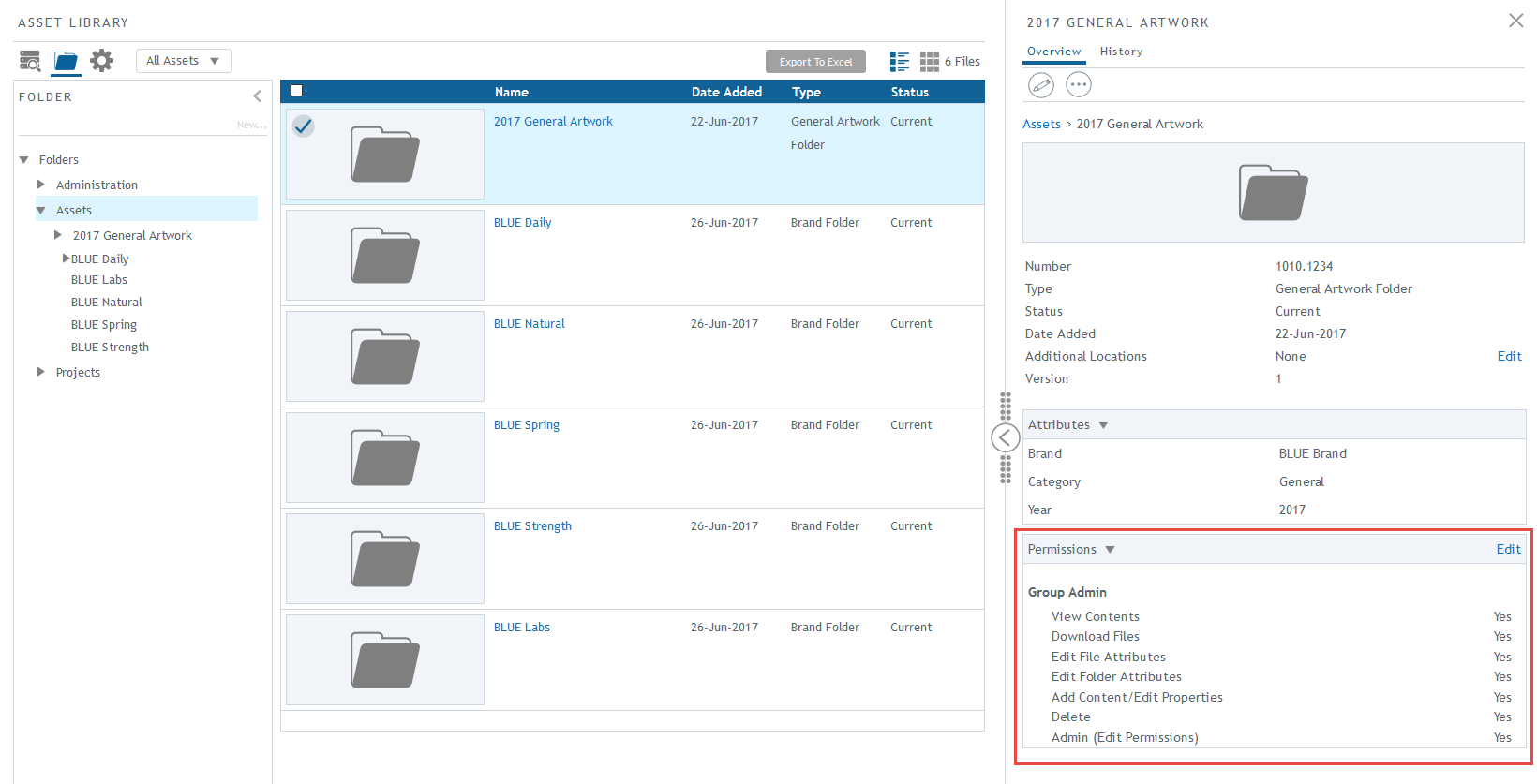
In the Edit Permissions window, you can add or remove groups and check the permissions for each group. To add a new group, click on Add or Remove Groups to select one or more groups.
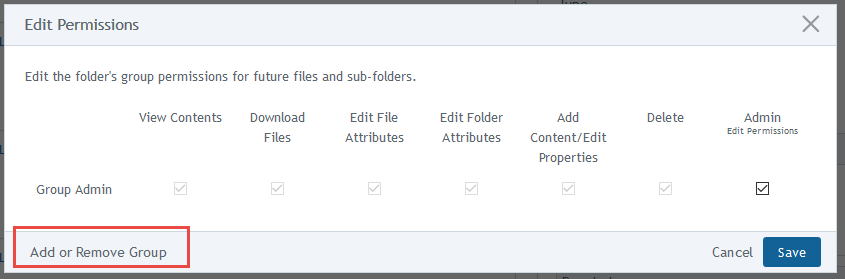
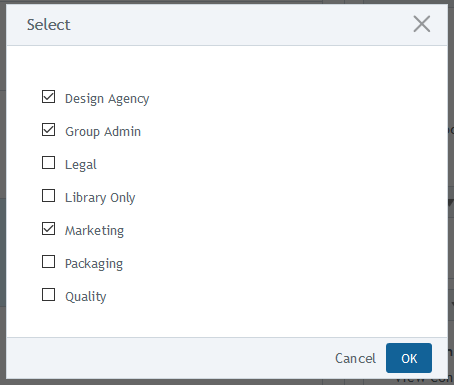
The Select window will appear, you can select or deselect groups from the list. Click OK.
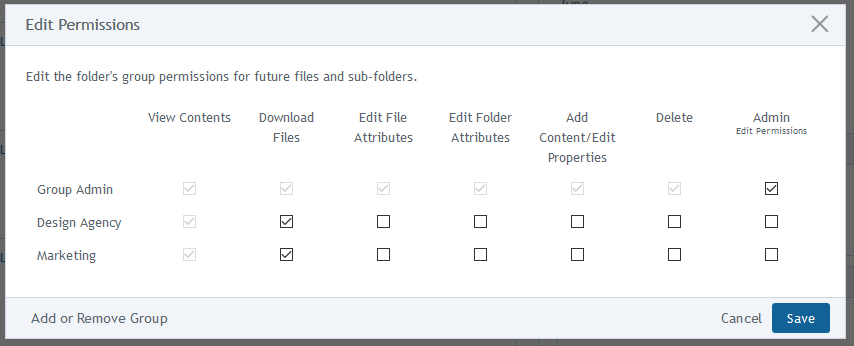
You can add or remove permissions for each group.
Below is a table for folder and file permissions. Note: These permissions work in conjunction with the status on the asset’s type and with the group’s right to access the library. For more information, contact an administrator.
Folders
Permission |
View Contents |
Download File |
Edit File Attributes |
Edit Folder Attributes |
Add Content / Edit Properties |
Delete |
Admin |
View folder and its contents. Includes viewing thumbnails, file images, attributes, and properties. |
X |
||||||
Edit the properties of a folder, including the folder or sub-folder’s name, number, or status. |
X |
X |
|||||
Edit custom field values of a folder and its sub-folders. |
X |
X |
|||||
Add contents into a folder, including adding new sub-folders and uploading files. |
X |
X |
|||||
Delete folder or sub-folder when they have no contents. |
X |
X |
X |
||||
Move folder to a different location. |
X |
X |
X |
||||
Make a copy of an existing folder. |
X |
X |
|||||
Full administrative rights to folder and its contents. Permissions are automatically checked to enforce all security rights. |
X |
X |
X |
X |
X |
X |
X |
Files
| Permission |
View Contents |
Download File |
Edit File Attributes |
Edit File Properties |
Delete |
Admin |
View a file. |
X | |||||
Download a file. |
X | X | ||||
Edit properties of a file, including the file’s name, number, or status. |
X | X | ||||
Edit the file’s custom field values. |
X | X | ||||
Delete a file. |
X | X | X | |||
Publish one or multiple files (also needs publish function). |
X | X | ||||
Move the file to a different location. |
X | X | X | |||
Full administrative rights to a file. Permissions are automatically checked to enforce all security rights. |
X | X | X | X | X | X |