Cross sub-process comparison
The following sections contain information to help you work with the Cross Sub-Process Comparison feature in the process template and in a project. Learn how to:
– enable cross sub-process compare in a process template
– define settings for cross sub-process compare
– view cross sub-process compare in a project
What is cross sub-process comparison?
Cross sub-process compare allows users to compare approval files across one or more sub-processes in the online proofing tool.
Enabling cross sub-process comparison
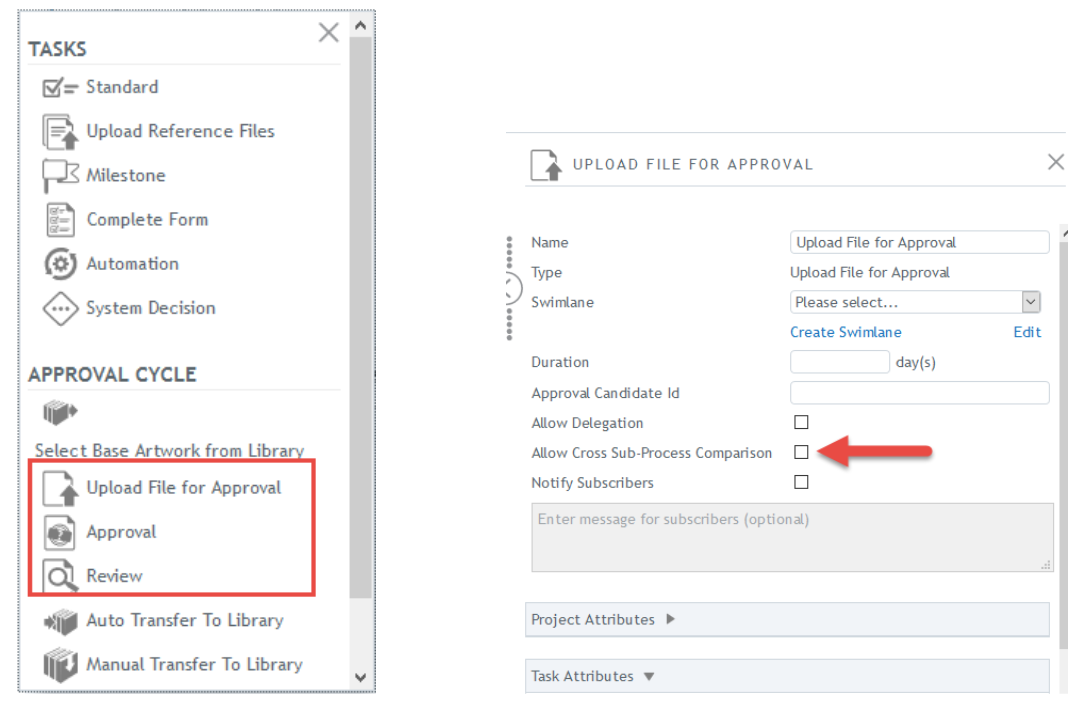
The cross sub-process comparison feature can be enabled by any user who has permissions to create or modify process templates. Cross sub-process comparison can be enabled for the following tasks:
– Upload File for Approval
– Review
– Approval
Note: Comparison with reference files within the sub-process is automatically enabled.
Cross sub-process comparison in the process template
The cross sub-process comparison is enabled in the process template for new and existing templates. It is in the task settings for qualified approval cycle tasks (Upload File for Approval, Review, Approval). A sub-process must be created in the template and the approval cycle tasks must be in the sub-process. Click on the checkbox next to “Allow Cross Sub-Process Comparison” for each approval cycle task. This will enable the feature on each of those tasks within the sub-process.
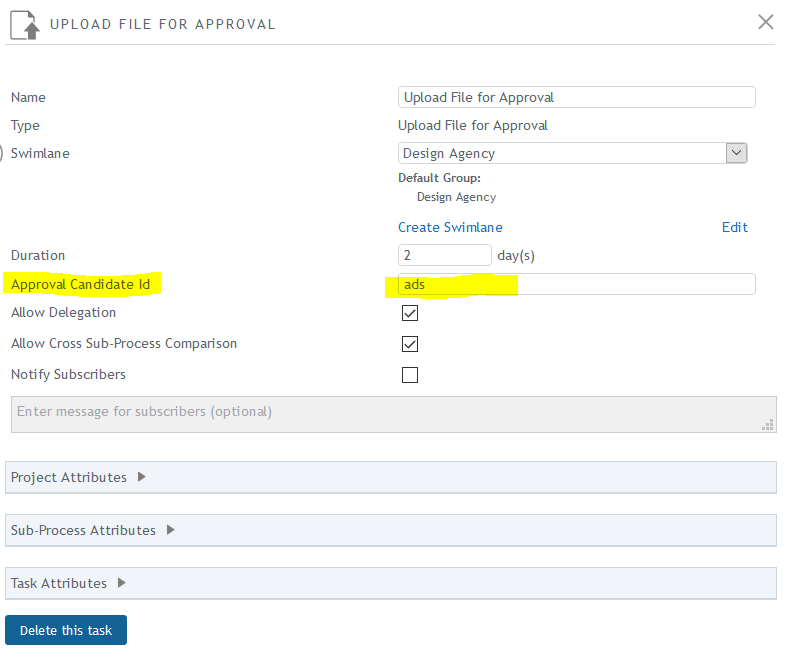
The approval cycle tasks in the sub-process must also contain the same unique approval candidate ID. If there is more than one sub-process configured in the process template, and the approval cycle tasks in each sub-process contain different approval candidate IDs, the cross sub-process comparisons in the project will only occur across sub-processes that contain approval cycle tasks with the same approval candidate ID.
For example, when the sub-processes are duplicated in the project, they will be in parallel with the original and they will contain the same approval candidate ID as the original. If the cross sub-process comparison option is checked on the tasks, the user will be able to compare the approval files across the duplicated sub-processes.
Comparing approval / reference files in a project
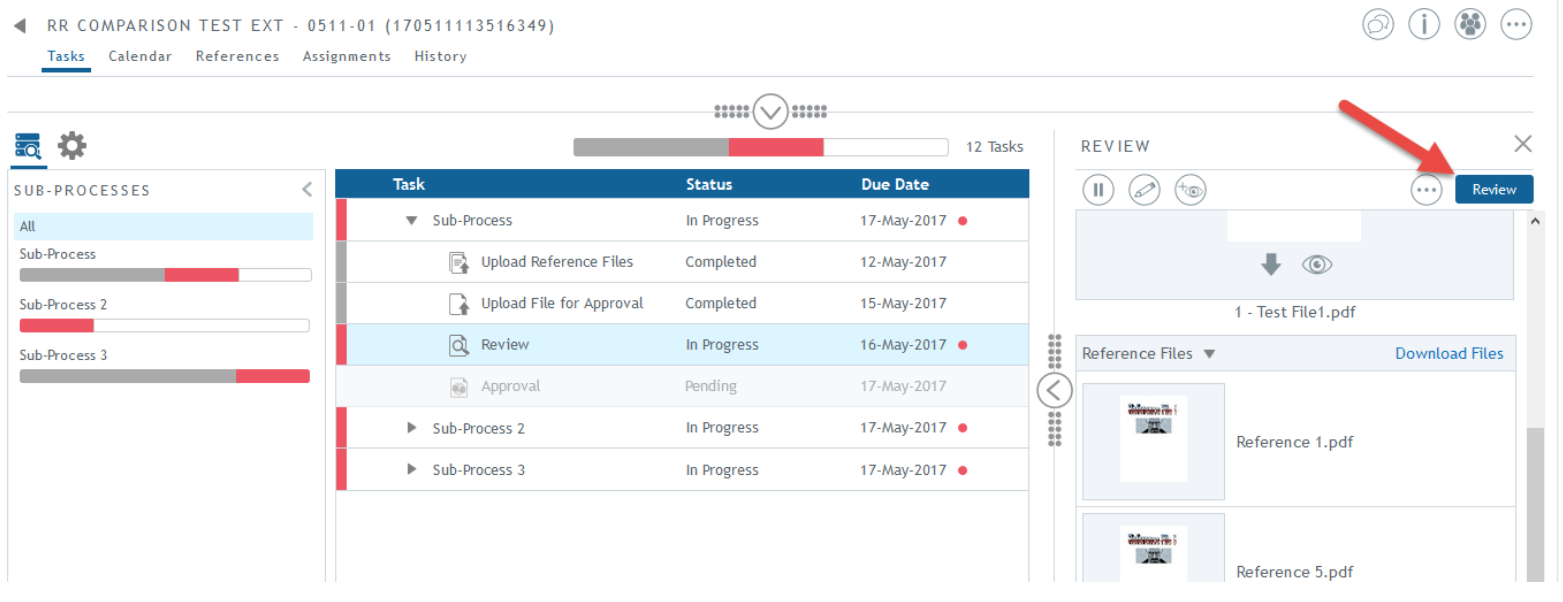
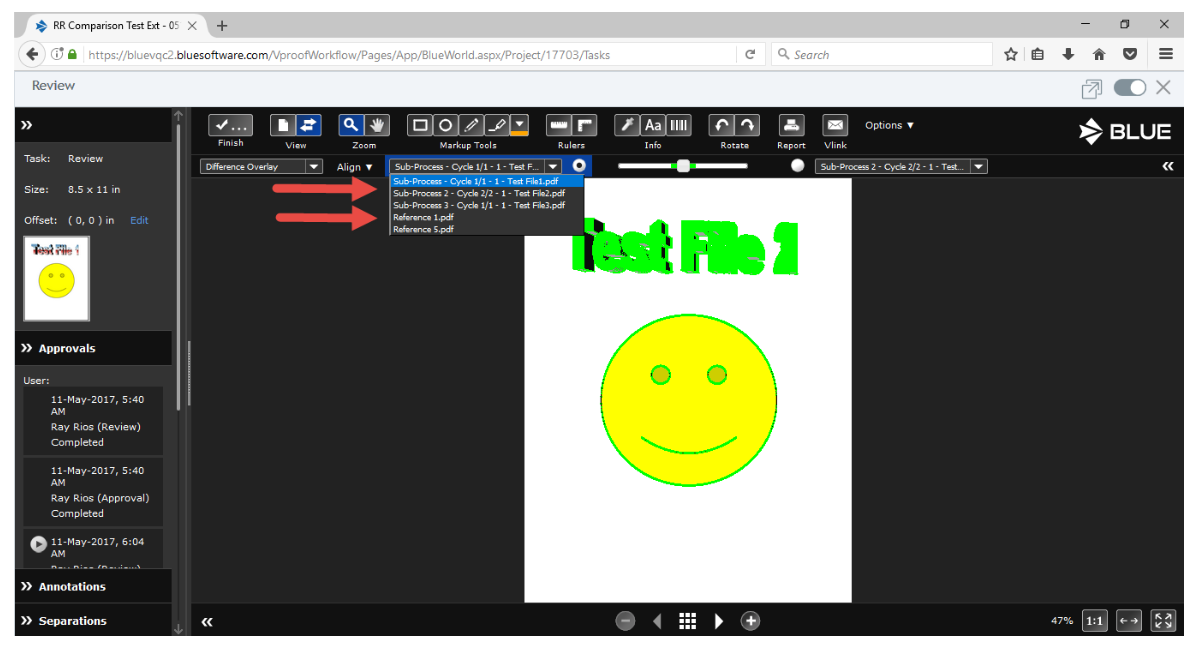
Approval files uploaded within the sub-processes can be compared to other sub-processes as long as they have the same approval candidate ID. Within the workflow for a qualified task, click on the Review button to launch online proofing and compare eligible approval files from parallel sub-processes.
Reference files in the same sub-process can also be compared.